
Set your member benefits
Members either get money off every order, or collect points to spend later. Pick one model and set the numbers behind it.
WHO THIS IS FOR
Owners setting the economics
of the loyalty programme, since this is what it costs you per order.
Anyone watching margins
— the calculator shows the true cashback rate before you commit.
BEFORE YOU BEGIN
It is one model, not both. Choosing Reward Points replaces the member discount, and the other way round.
Know your thin-margin items. You can exclude specific products from the member discount.
THE STEPS
Pick the device in front of you.
Choose the benefit model
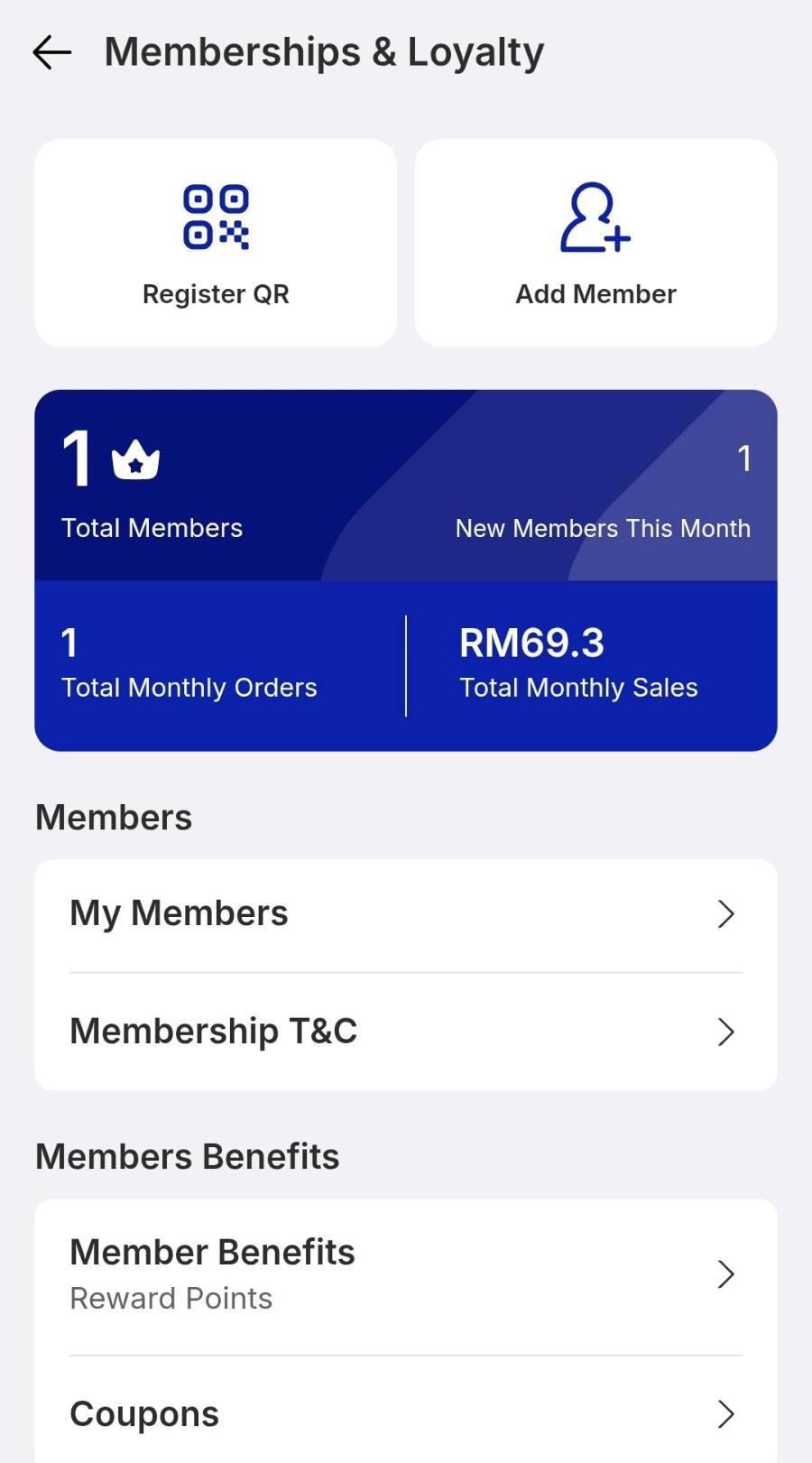
On the portal, tap Member Benefits. Pick Member Discount for a percentage off every order, or Reward Points for points members redeem later. Tap View settings under the one you chose.
Set the numbers
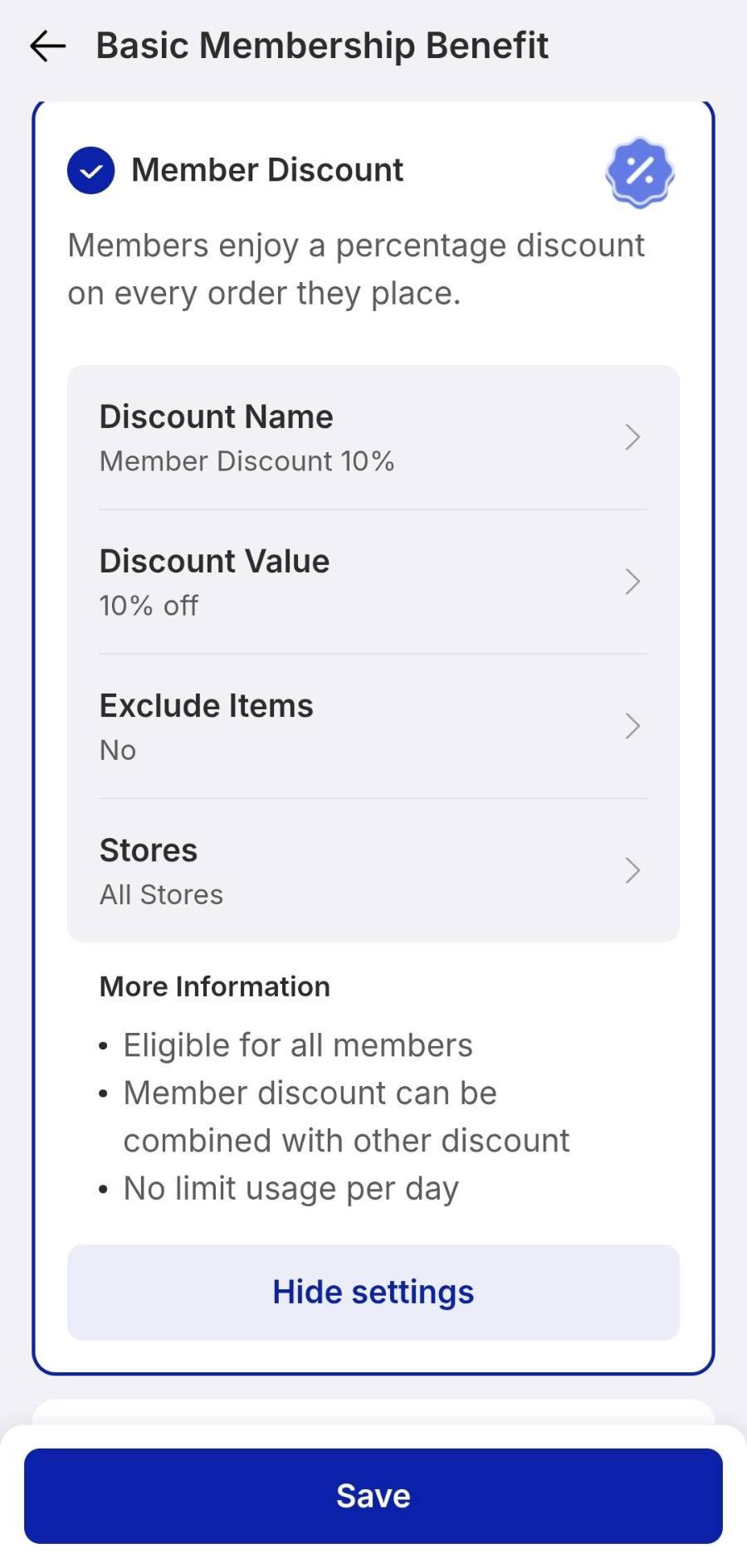
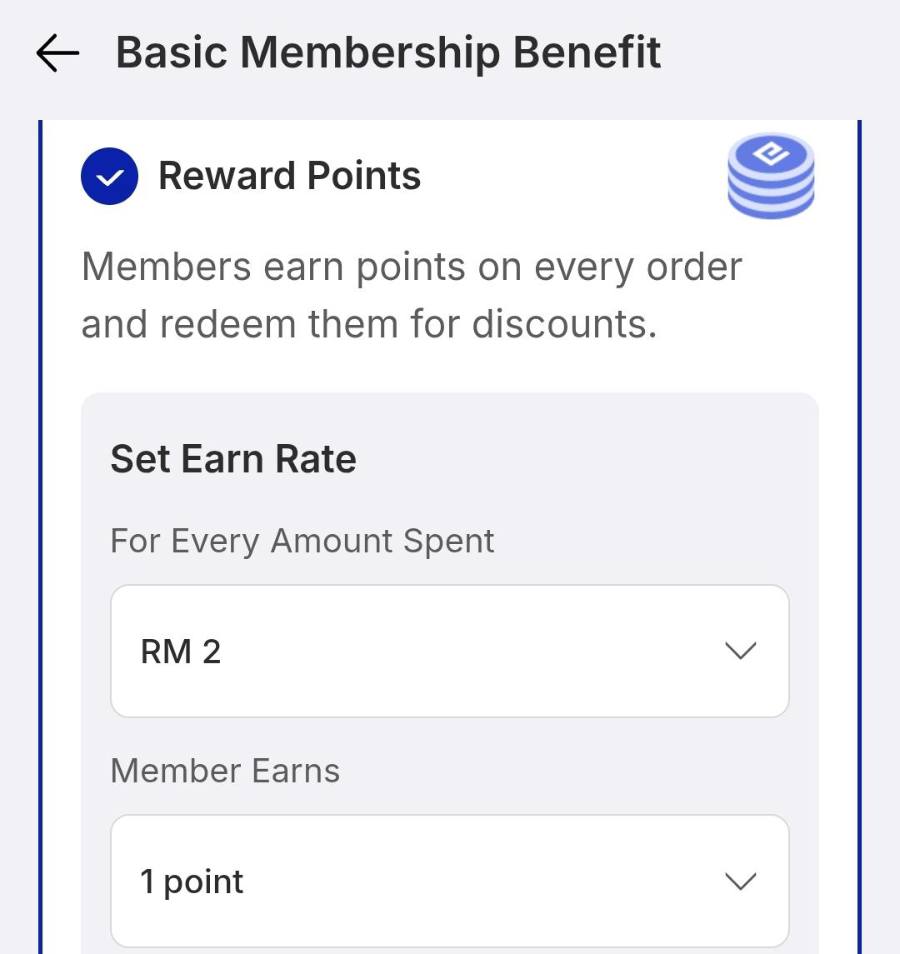
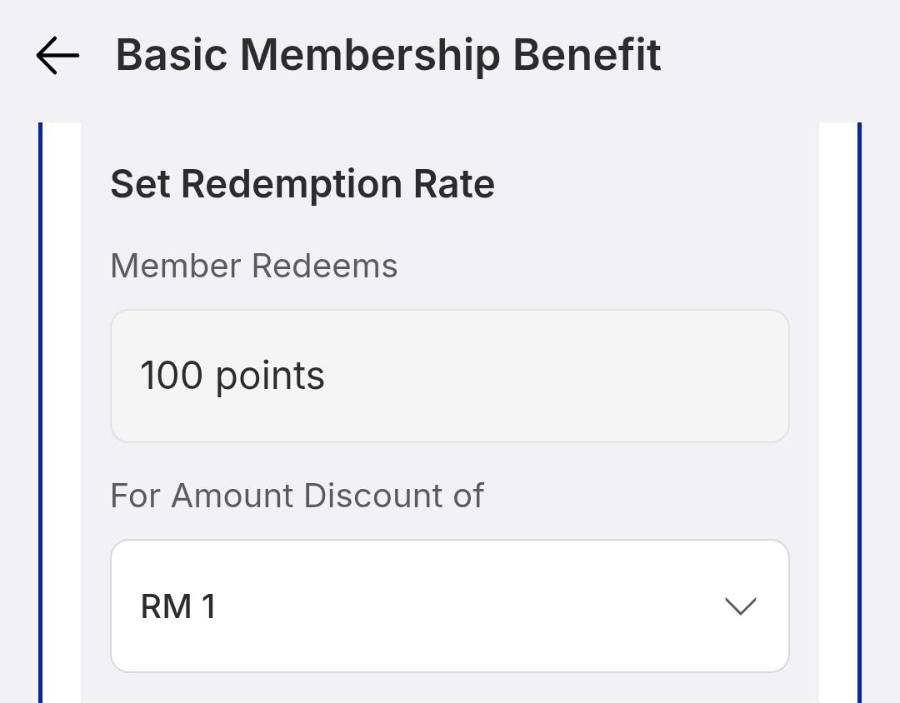
Fill in whichever model you picked, then tap Confirm or Save.
IF IT LOOKS WRONG
Members are not getting the discount
Check the item is not on the Exclude Items list, and that the customer was attached to the order as a member.
Points build up too fast
Raise the spend per point or lower the redemption value, and watch the cashback figure in the calculator.
The old benefit is still applying
Switching models needs a save. Reopen Member Benefits and confirm the right option is ticked.
