
Install EPOS360 on iPhone or iPad
The App Store version updates itself and is the officially verified build. Three taps and a country choice, then you are ready to log in.
WHO THIS IS FOR
Anyone on an iPhone or iPad
using it as the register or as a second device.
Merchants who want automatic updates
rather than reinstalling by hand.
BEFORE YOU BEGIN
Check your iOS version. EPOS360 needs iOS 15.0 or higher — Settings › General › About › iOS Version.
Know which email you will log in with before you finish. Touch ’n Go merchants must use their registered merchant email.
THE STEPS
Pick the device in front of you.
Open the App Store
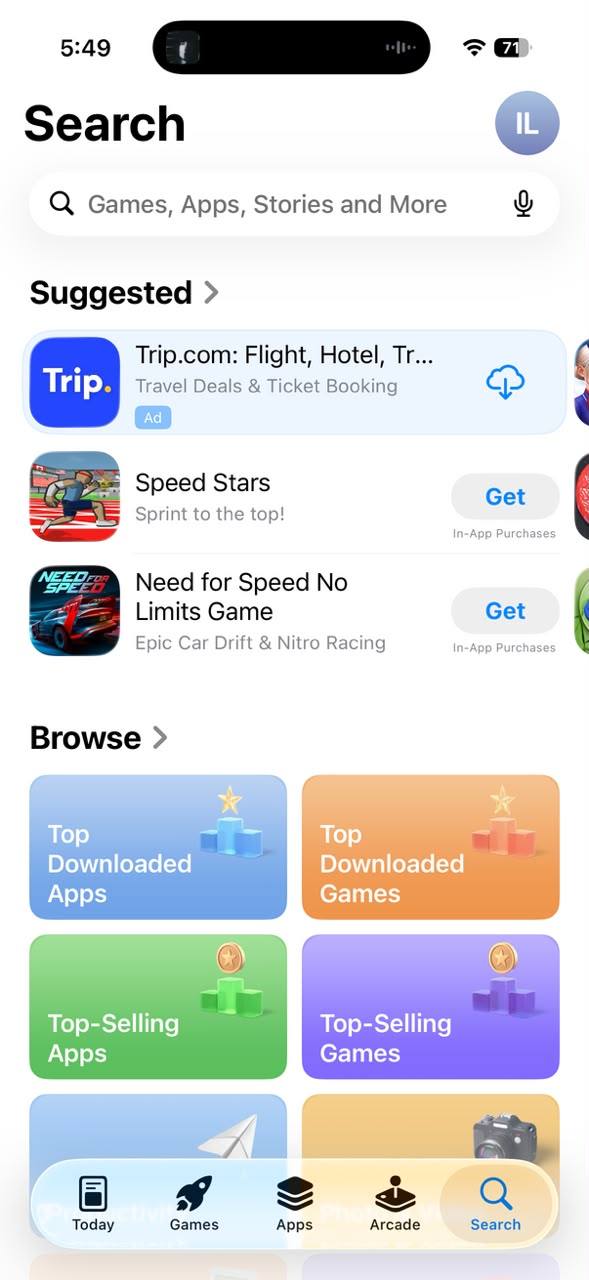
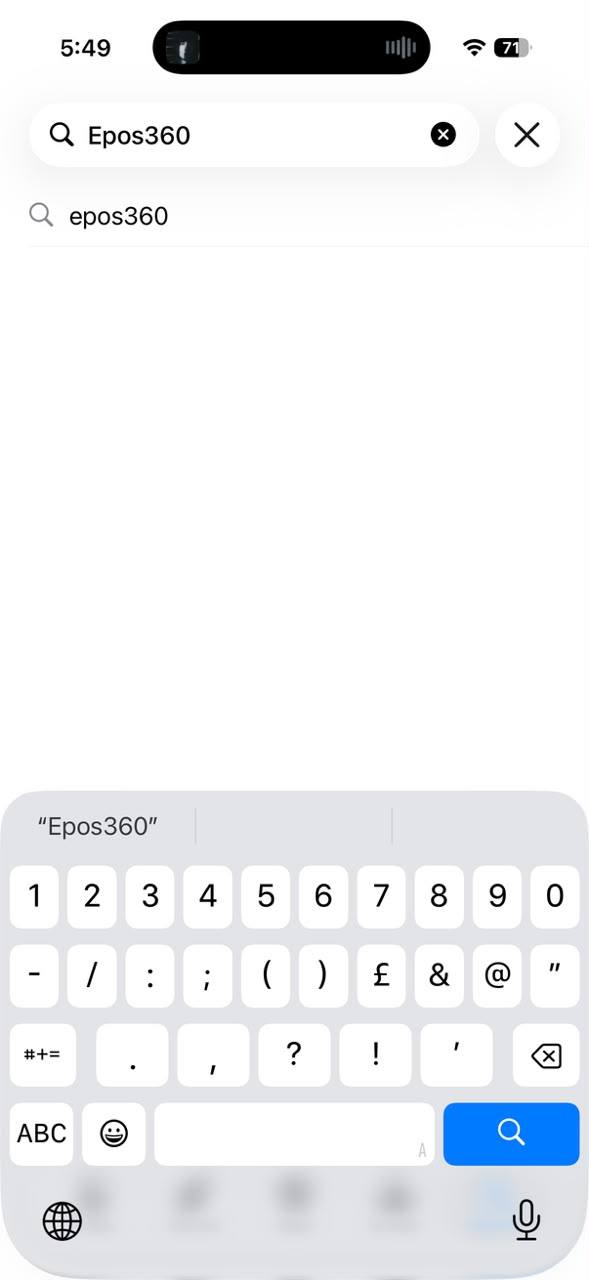
Launch the App Store, tap Search and look for Epos360. Open the official EPOS360 listing from the results.
Download and install
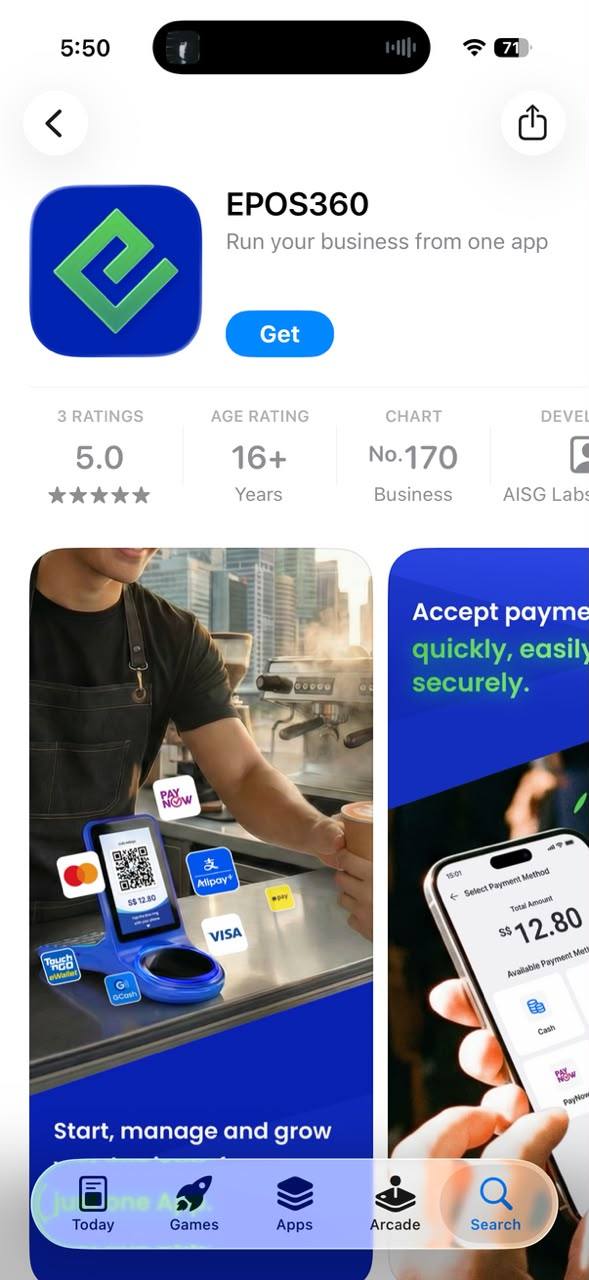
Tap Get — or the cloud icon if you have installed it before. Confirm with Face ID, Touch ID or your Apple ID password, wait for it to install, then tap Open.
Pick your country
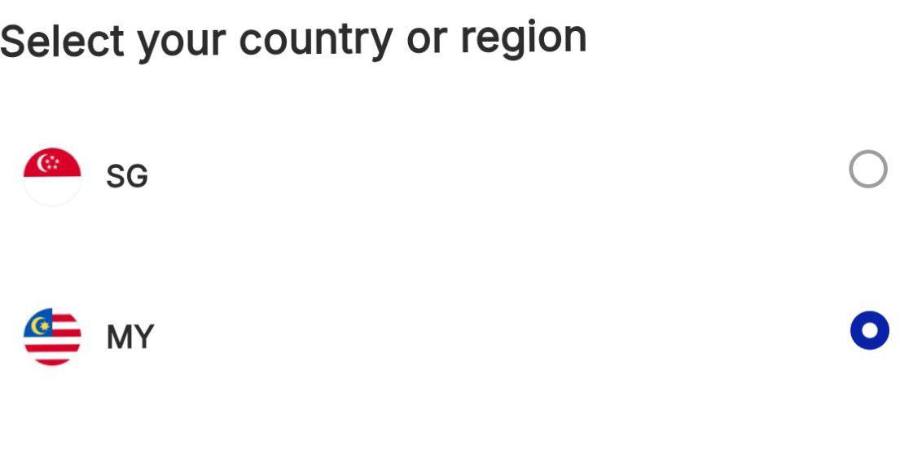
On the first screen, tick your country or region — MY for Malaysia, SG for Singapore — then tap the blue Continue button. Next: log in.
IF IT LOOKS WRONG
The app will not install
Check the device is on iOS 15.0 or higher. Older versions cannot run EPOS360.
Several similar apps in the results
Open the listing published by EPOS. If you are unsure, use the download page on epos.com to reach the right app.
Wrong country picked
Close and reopen the app before logging in, and choose the correct region — it affects tax and currency defaults.
